

Sketch Frames
Sketch Frames give you a simple drawing surface directly inside Refbox. They're useful for quick ideas, visual notes, and rough concepts without leaving your workspace.
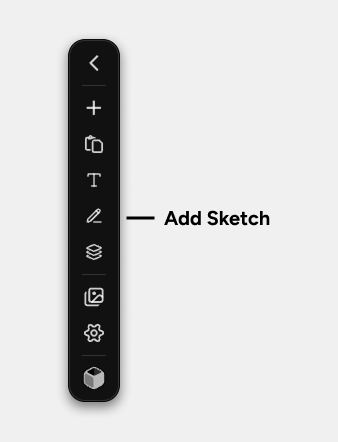
You can create a Sketch from the Add Sketch action in the Toolbar. Refbox creates the Sketch Asset and opens it in a Frame right away.
Drawing Tools
The toolbar at the top of a Sketch Frame gives you the essentials:
How Sketches Behave
Sketches save as you work, so you can treat them like lightweight working canvases inside your Box.
Unlike image, video, or PDF Frames, Sketch Frames are focused on direct editing rather than view transforms. You draw directly in the Frame instead of zooming or rotating existing content.
As you resize the Frame and keep drawing, the Sketch document can grow with it.
Background Options
Right-click a Sketch Frame to change its background:
- White
- Dark
- None
You can also choose the default starting background in Settings > Style > Frames > Default Sketch Background.
Context Menu Actions
Right-click a Sketch Frame to access: